The latest PeakGTO update is live, and it brings one of the most requested realistic poker training features to the platform: Chip Mode. Alongside that, the entire trainer experience has been overhauled with new visuals, animations, and performance improvements.
Here’s what’s new.
Chip Mode
You can now train with realistic chip amounts and denominations that match the stakes you actually play.
Until now, the trainer tracked your results in big blinds. Chip Mode replaces that with actual chip amounts, so you can see exactly how much you won or lost on each hand and across the full session. If you play $1/$2 cash games, you’ll see $1/$2. If you play a $100 buy-in tournament, you’ll see tournament chips. It feels like sitting at a real table.
A few details on how it works:
- You open-raise and then fold to a re-raise? You lose the chips you put in. Just like a real game, that open costs you something when you don’t continue.
- Make a preflop play the solver flags as a mistake? You lose whatever you’ve already put into the pot. The trainer treats bad decisions the same way a real session would: they cost you money.
- Fold from the blinds facing a raise? You lose your blind. Small, but it adds up, exactly the way it does in a real game.
The goal is to make training feel exactly like playing a real session. Most poker training tools track your results in ways that feel detached from the actual game. You see numbers go up or down, but it doesn’t hit the same way as watching chips move across the table. Chip Mode closes that gap. You see a buy-in, blinds, and bet sizes in the same denominations you see at your stakes. When you fold, you lose chips. When you win a pot, chips get pushed your way. The habits you build in the trainer transfer directly to the felt because the experience matches what you’ll face when real money is on the line. It’s a better way to sharpen your poker strategy through repetition that actually feels like playing.
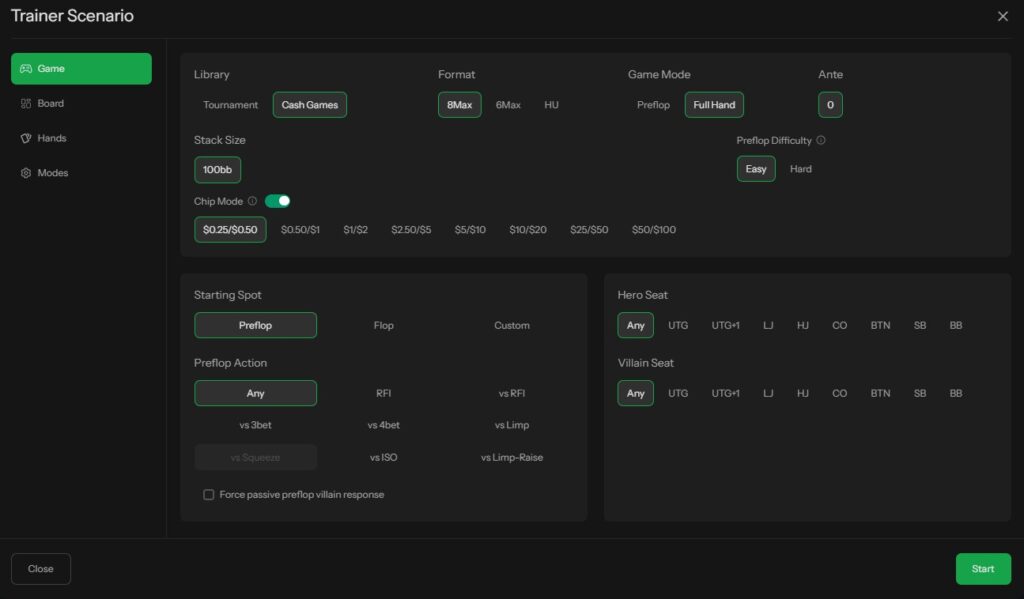
Chip Mode is available now in the trainer settings.
Enhanced Visuals, Animations, and Sound
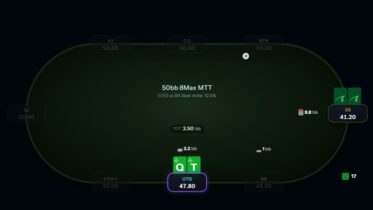
Chip Mode is the headline feature, but the entire trainer experience has been rebuilt around it. The table looks different, sounds different, and moves differently. If training ever felt bland and boring, this update is designed to change that.
- Improved table graphics with updated colors, styles, and fonts for a cleaner look.
- Chip animations for player actions, bet collection, and pot pushes to the winning seat. If you prefer a minimal experience, you can toggle these off in the Modes menu of the Trainer Scenario settings.
- Sound effects for actions and chip events. You can turn these off in Global Settings (top right corner).
- Faster load times. The trainer now runs more smoothly with less waiting between hands.
The visual and audio changes work together with Chip Mode to make the trainer feel less like a study tool and more like a poker table. You hear chips hit the felt when someone bets. You see the pot slide to the winner. These are small details, but they keep you locked in and make each decision feel like it matters. And if you prefer a clean, distraction-free experience, every animation and sound can be turned off individually.
Bug Fixes
- Fixed a bug that prevented users from using Custom starting spots on mobile.
Train smarter. Start a session now.