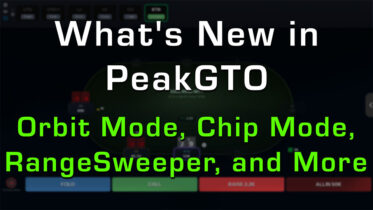
If you’ve had your head down grinding this spring and summer, you’ve missed a lot. Since April, PeakGTO has shipped almost non-stop: a brand new way to train full sessions, faster controls, cleaner feedback, and a wave of new content across cash and tournaments. Most of it’s already sitting in your account, waiting to be switched on.
Here’s what’s new in PeakGTO, and exactly what to go turn on the next time you sit down to study. As a premium member, every feature below is yours right now.
Orbit Mode: Train a Real Session, Not the Same Spot
This is the big one. Most trainers freeze you in a single seat and feed you the same isolated decision over and over. Real poker doesn’t work that way. Your position moves every hand, your stack drifts up and down, and the correct play shifts with both.
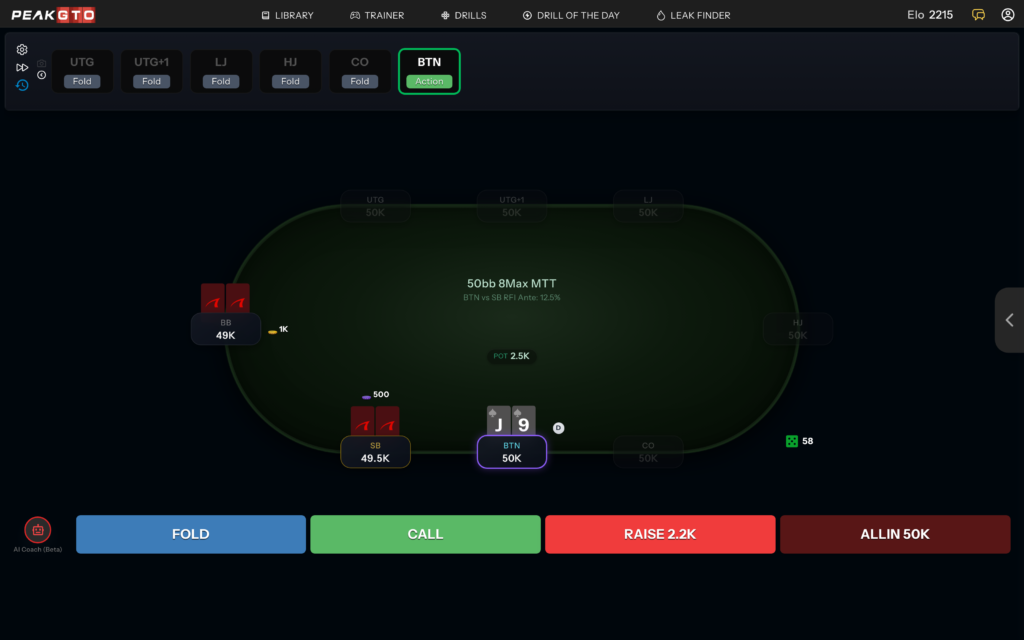
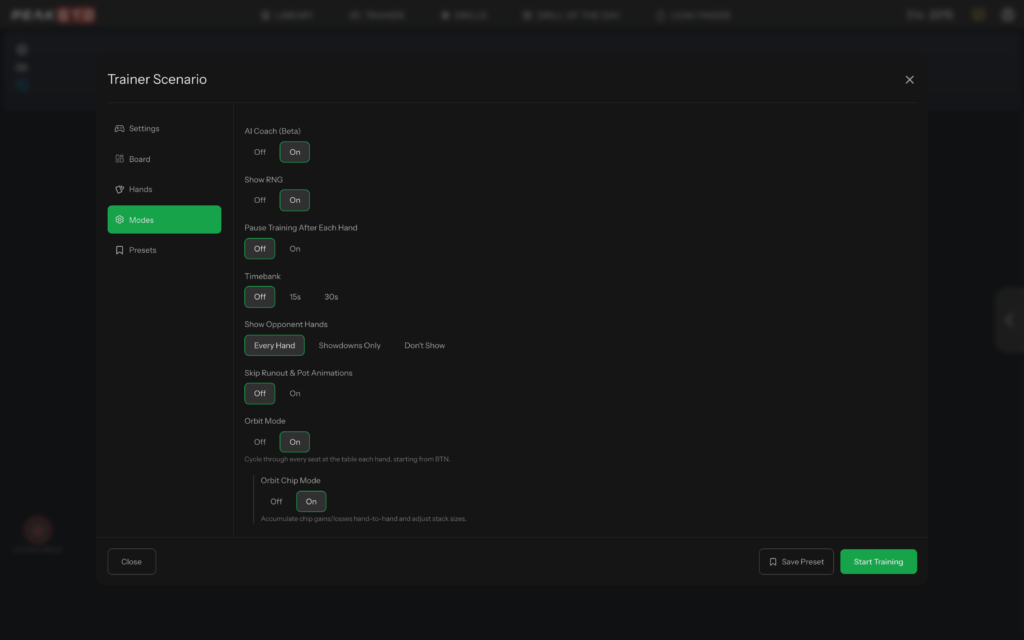
Orbit Mode fixes that. Instead of anchoring you to one seat, it cycles you through every position at the table one hand at a time, moving the button around just like a live game. One hand you’re on the button, the next in the cutoff, then the hijack, working your way around the table until the blinds swing back to you. You get a realistic lap of the table instead of a thousand reps from the same chair.
Chip Mode: see the table in real money and chips
Chip Mode shows your table in real money or tournament chips instead of only big blinds. Pick a preset such as $1/$2 cash or 500/1,000 tournament blinds, and PeakGTO converts everything into dollars or chips, so bets and pots read the way they’d look at a real table. Your win or loss on each hand, and across the whole session, then shows up in the currency you actually think in.
Orbit Chip Mode: your stack now carries over
Layer Orbit Chip Mode on top and your stack stops resetting between hands. Win a pot and your stack grows; lose one and it shrinks, carrying forward exactly like a real session. The trainer tracks your running stack the whole way and always shows you the correct solved strategy for your current depth, so a double-up genuinely changes how you should play the next hand.
If you bust, you get a knockout screen that recaps the run: hands played, session length, accuracy, best streak, and your net win or loss. From there you can rebuy in one click and start a fresh stack, or end the session and review how you did. It’s the closest thing to playing an actual tournament while never leaving study mode.
Faster, Cleaner Trainer Controls
A run of quality-of-life upgrades makes every study session quicker and easier to read:
- End after any street. Training no longer forces you to play every hand to the river. End after the flop or turn so you can rack up focused reps on the exact street you’re working on.
- Trainer hotkeys. Keyboard shortcuts let you act, advance, and move through hands without reaching for the mouse. Once they’re in your fingers, your volume goes way up.
- Spacebar label toggle. In the Strategy and EV view, tap the spacebar to cycle how action labels display: bet size only, bet size with frequency, or frequency with bet size. See exactly the level of detail you want while studying a range.
- Highlighted hero combo. After each hand, your exact combo is highlighted in the solution, so you instantly see how the specific hand you held was supposed to play rather than hunting for it in the grid.
- Cleaner Drills of the Day. Villain hole cards are now hidden where they should be on DoDs, so you read the spot the way you’d face it live instead of being biased by information you’d never have.
RangeSweeper Leveled Up
If you haven’t tried it yet, RangeSweeper is our first mini-game and the fastest way to pressure-test your preflop. It hands you a blank 169-hand grid, asks you to complete the range from memory, then grades your answer against the solver and gives you a single accuracy percentage you can watch climb attempt after attempt. Reading a chart trains recognition; RangeSweeper trains recall, which is the skill the table actually demands.
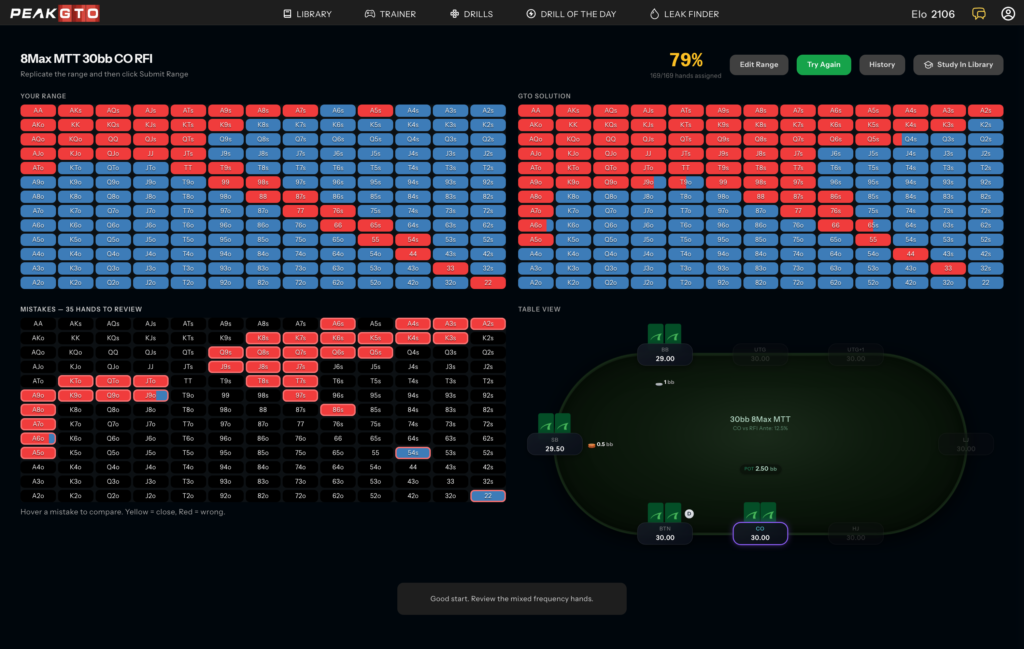
Since launch it’s gotten a lot deeper. A history view now tracks your attempts over time, so your accuracy score becomes a real trend line rather than a one-off number. A one-action mode, a fullscreen view, and full mobile support mean you can drill ranges cleanly on any device, anywhere. And with NL100 now wired in, cash players have a fresh library of spots to sweep. If you tried RangeSweeper in its first week, it’s worth another look.
More to Train: New Libraries and Content
The trainer is only as good as what you can practice in it, so the content library grew too:
- A rebuilt 6-max library and training path. Six-max now defaults to the new library with a dedicated path to work through, so short-handed players have a cleaner, more complete set of spots to study.
- 100bb MTT postflop data. Deep-stacked tournament players get full 100 big blind postflop solutions, filling in the early-tournament and deep-run spots that matter most.
- Sharper cash accuracy. A batch of fixes tightened up NL library bet sizing and the NL100 preflop drills, so the numbers you train against are the right ones.
- Truer custom starting spots. Custom starting spots let you build a specific postflop situation, the positions, the stack, and the action so far, then drop straight into training it, instead of always starting preflop or on a fresh flop. Recent fixes corrected the rake and stack handling in those spots so you practice them against the right solution.
Go Put It to Work
The next time you open PeakGTO, don’t just run the same drill you always run. Start an Orbit Mode session, flip on Chip Mode, and play a real lap of the table with your stack on the line. Then sweep a few ranges to keep your preflop sharp. These are the exact tools that turn passive review into the kind of practice that actually moves your win rate.
Know someone who doesn’t have Peak yet? Point them at our free content. They can run a Leak Finder and try our free Drills of the Day without an account, get a feel for how PeakGTO trains, and see for themselves why you spend your study time here. It’s the easiest way to get a friend into the game and onto the practice tools that work.
Everything above is included with your membership. Jump back into PokerCoaching and PeakGTO and put the new tools to work today.
Frequently Asked Questions
What is Orbit Mode in PeakGTO?
Orbit Mode is a training format that cycles you through every seat at the table one hand at a time, so your position changes each hand like a real game. Add Orbit Chip Mode and your stack carries over from hand to hand, growing and shrinking with your results until you either build a stack or bust and rebuy.
Do I need to pay extra for these features?
No. Every update covered here is included with premium membership. If you’re already a premium member, they’re live in your account right now with nothing else to buy.
TL;DR: AI Summary of the Article
- PeakGTO shipped a wave of updates since April, and most of them are already included with your membership and just need to be turned on.
- Orbit Mode cycles you through every seat one hand at a time, so your position changes each hand like a real game.
- Chip Mode displays your table in real money or tournament chips, so results read in the currency you actually think in.
- Orbit Chip Mode carries your stack over between hands so it grows and shrinks like a real session, with a knockout summary and one-click rebuy when you bust.
- Trainer controls got faster and cleaner: end after any street, keyboard hotkeys, a spacebar label toggle, highlighted hero combos, and hidden villain cards on Drills of the Day.
- RangeSweeper added an attempt history, a one-action mode, fullscreen, mobile support, and NL100 content since launch.
- The library grew with a rebuilt 6-max path, 100bb MTT postflop data, and sharper cash and custom-spot accuracy; free Leak Finders and Drills of the Day are an easy way to get a friend who doesn’t have Peak yet onto the tools.